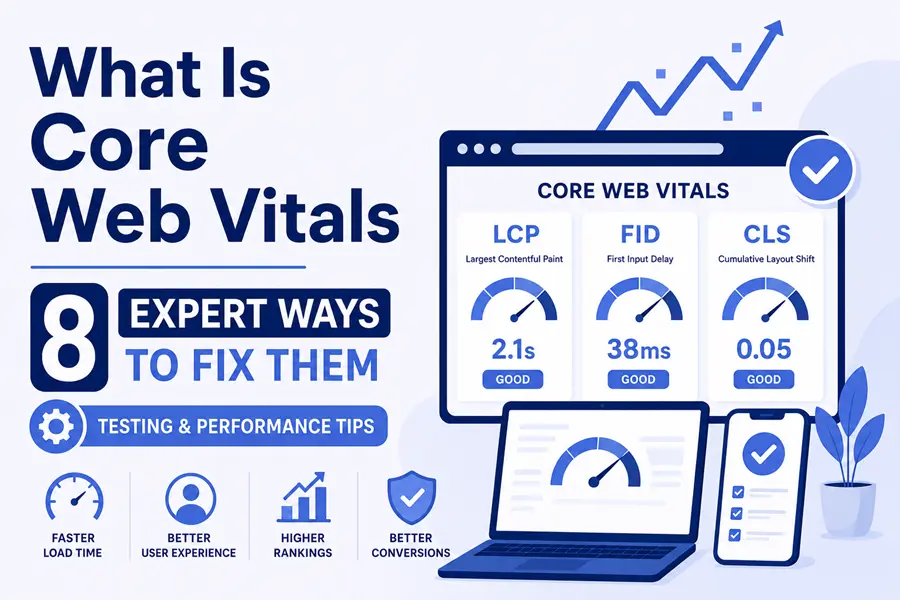
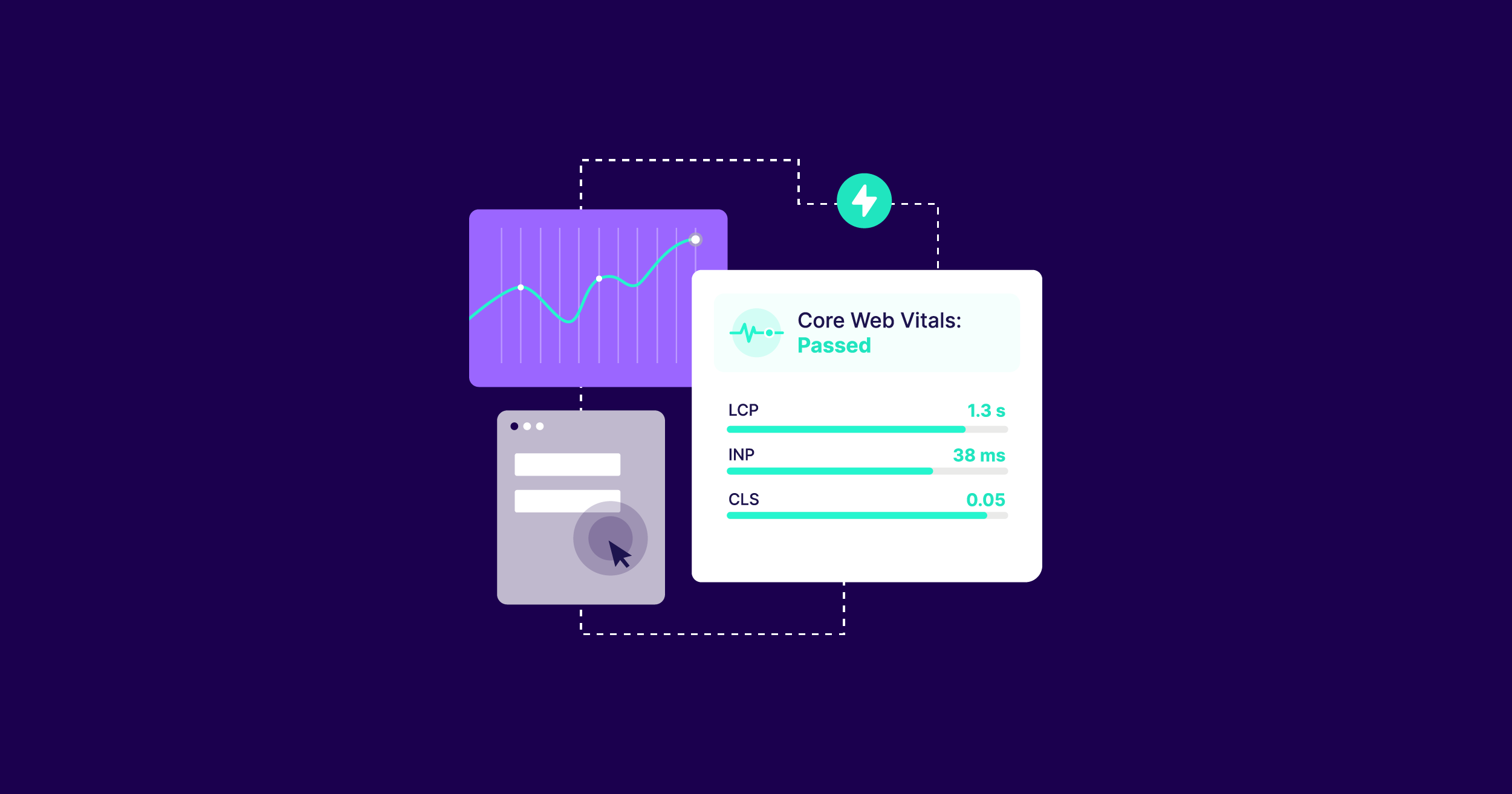
Core Web Vitals are three Google metrics that score the real-world experience of a web page. They measure loading speed, responsiveness, and visual stability. Google uses them as one of its page experience ranking signals.
“Quick answer: A page passes Core Web Vitals when 75% of real visits hit the “good” mark on all three metrics. The good targets are LCP under 2.5 seconds, INP under 200 milliseconds, and CLS under 0.1.”
| Metric | What it measures | Good | Needs improvement | Poor |
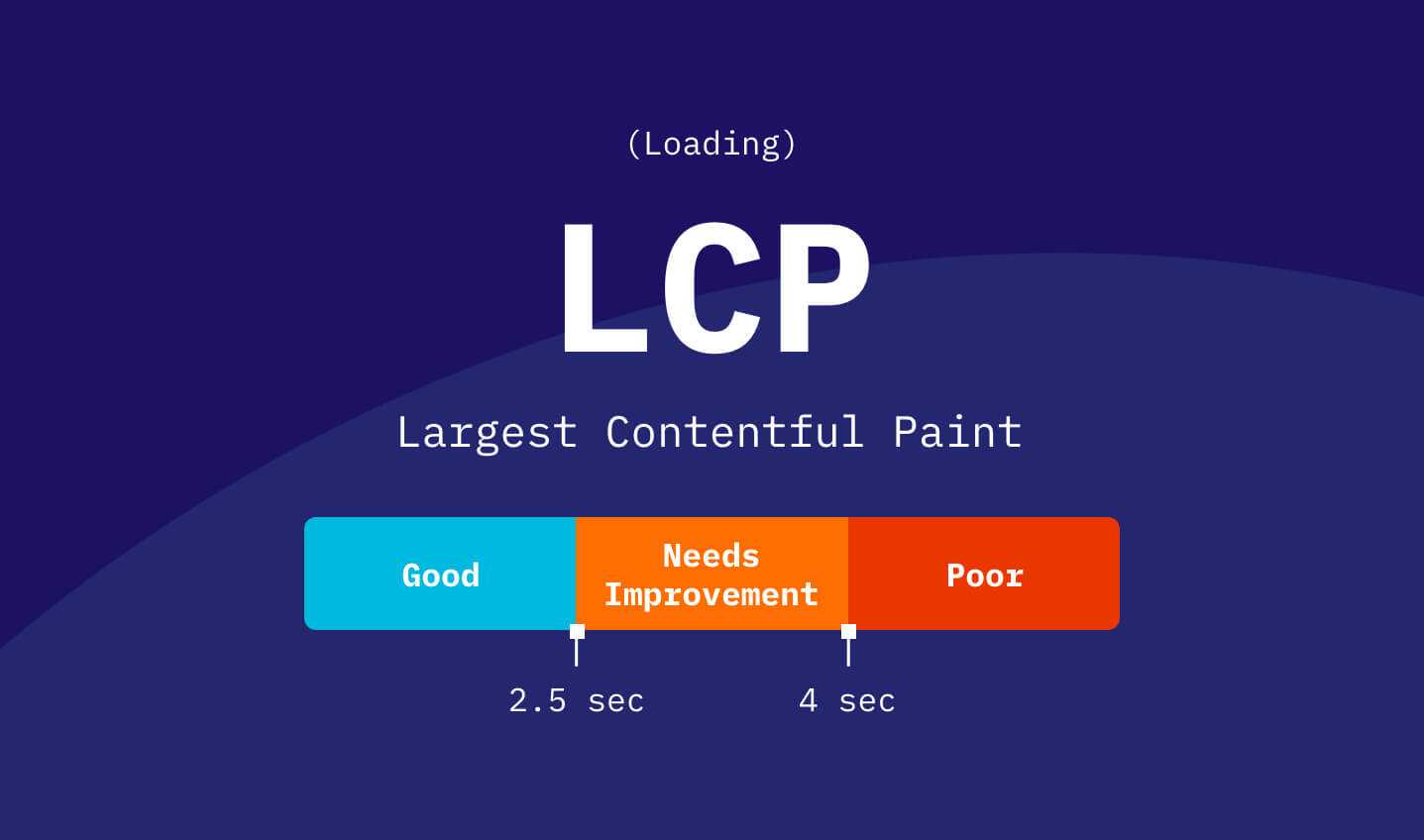
| LCP (Largest Contentful Paint) | Loading speed | ≤ 2.5s | 2.5s to 4.0s | > 4.0s |
| INP (Interaction to Next Paint) | Responsiveness | ≤ 200ms | 200ms to 500ms | > 500ms |
| CLS (Cumulative Layout Shift) | Visual stability | ≤ 0.1 | 0.1 to 0.25 | > 0.25 |
What Are Core Web Vitals?
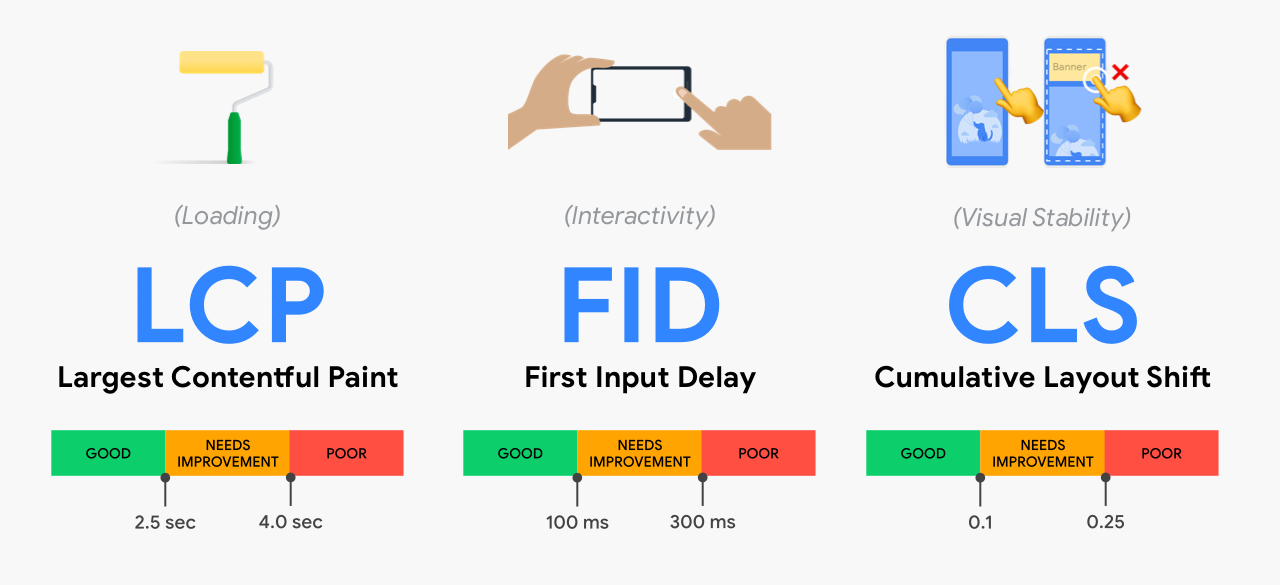
Core Web Vitals are a set of page experience signals that Google publishes through web.dev. Each one scores a different part of how a page feels to a user. Together they tell you how fast a page loads, how quickly it reacts to a tap, and how steady it stays on screen.
Google made these metrics a ranking signal and an important factor in website performance optimization in June 2021. They sit inside the wider page experience system. Content quality and relevance still matter most. Core Web Vitals act as a quality layer on top.
The 3 Core Web Vitals Metrics
Each metric answers a plain question about the URL.
LCP answers one question. How long until the largest visible element finishes rendering? That element is often a hero image, a banner, or a large block of text. A good LCP sits at or under 2.5 seconds.
INP answers a different question. How fast does the page respond to a user action? INP looks at every click, tap, and key press during a visit. It then reports the slowest meaningful response. A good INP sits at or under 200 milliseconds.
CLS answers the last question. How much does the layout jump while the page loads? A button that shifts under a thumb is a layout shift. A good CLS stays at or under 0.1.
Why Core Web Vitals Matter For SEO
Core Web Vitals carry real ranking weight, but they are not a magic switch. Google treats them as one signal among many. They work best as a tiebreaker. When two pages match on relevance and authority, the faster, steadier page tends to win.
The user impact is larger than the ranking impact. Slow pages lose visitors and reduce the impact of SEO performance strategies. Layout shifts lose trust. A URL that loads fast and stays stable keeps people reading and converting. That is the real prize.
How Google Measures Core Web Vitals
Google scores your page on field data, not lab data. Field data comes from real Chrome users through the Chrome User Experience Report, known as CrUX. This point trips up many site owners, so read it twice.
Your PageSpeed or Lighthouse lab score is a simulation. It runs one test on one device. CrUX collects scores from thousands of real visits over a rolling 28-day window. Google ranks on the CrUX numbers, not the lab ones.
Two rules follow from this.
First, Google judges your page at the 75th percentile. That means 75% of visits must hit the good mark for the page to pass. One slow phone on a weak network will not sink you. A pattern of slow visits will.
Second, fixes take time to show. CrUX needs up to 28 days to reflect a change. A deploy today may not move the public score for four weeks. Watch your own real-user data for faster proof.
8 Expert Ways To Fix Core Web Vitals
Start with the metric that scores worst. Fix the biggest gap first, then move down. The eight fixes below map to the three metrics in priority order.
Fix 1: Serve A Faster LCP Image
Your largest element is usually an image. Compress it and serve a modern format such as AVIF or WebP. Resize it to the real display size. A 4000px image in a 800px slot wastes load time.
Add fetchpriority=”high” to that one image. This tells the browser to load it first. Never put loading=”lazy” on the hero image. Lazy loading delays the element that defines your LCP.
Fix 2: Cut Server Response Time
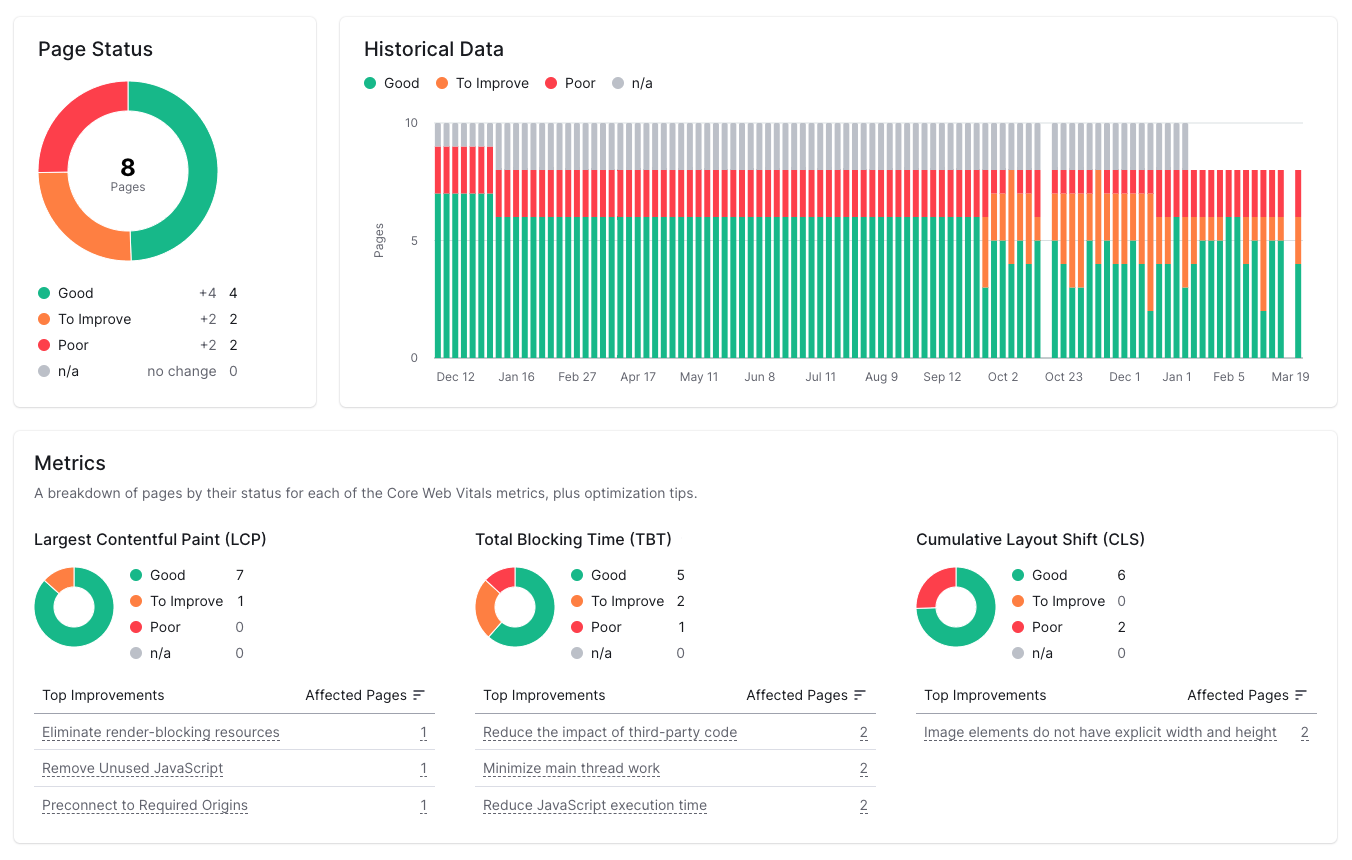
A slow server delays everything that follows. Server response time, called TTFB, is the foundation under LCP. If the first byte arrives late, no amount of image work will save you.
Add a content delivery network so files load near each visitor. Turn on full-page caching. Upgrade slow hosting and improve your CMS website performance if response times stay above 600 milliseconds. Audit teams often find that TTFB fixes deliver larger LCP gains than image fixes alone.
Fix 3: Remove Render-Blocking Resources

CSS and JavaScript in the document head can block the first paint. The browser pauses rendering until those files load. That pause raises LCP on most sites.
Inline the small slice of CSS needed for the visible area. Defer the rest. Move non-essential scripts below the fold or load them with defer. The page then paints content before the heavy files arrive and supports faster custom website development.
Fix 4: Preload Critical Resources
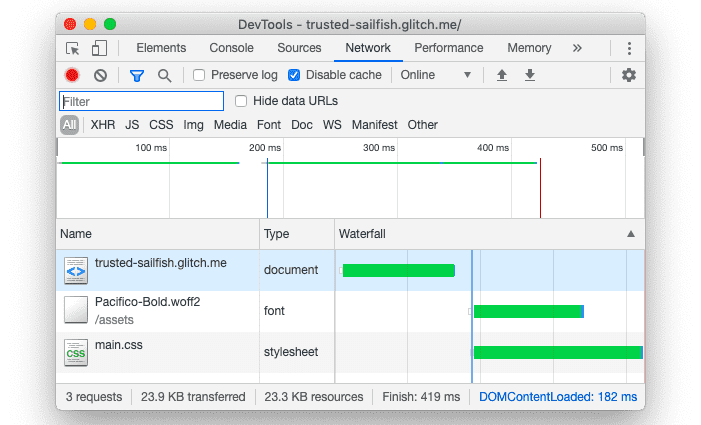
The browser discovers some files late. A font or hero image buried in CSS loads only after the browser parses that CSS. Preloading points the browser at the file early.
Add a preload link for the LCP image and any web font in the first view. Pair fonts with font-display: swap so text shows in a fallback while the brand font loads. One rule applies here. Preload only what the first view needs. Preloading too many files creates contention and slows the page.
Fix 5: Break Up Long JavaScript Tasks
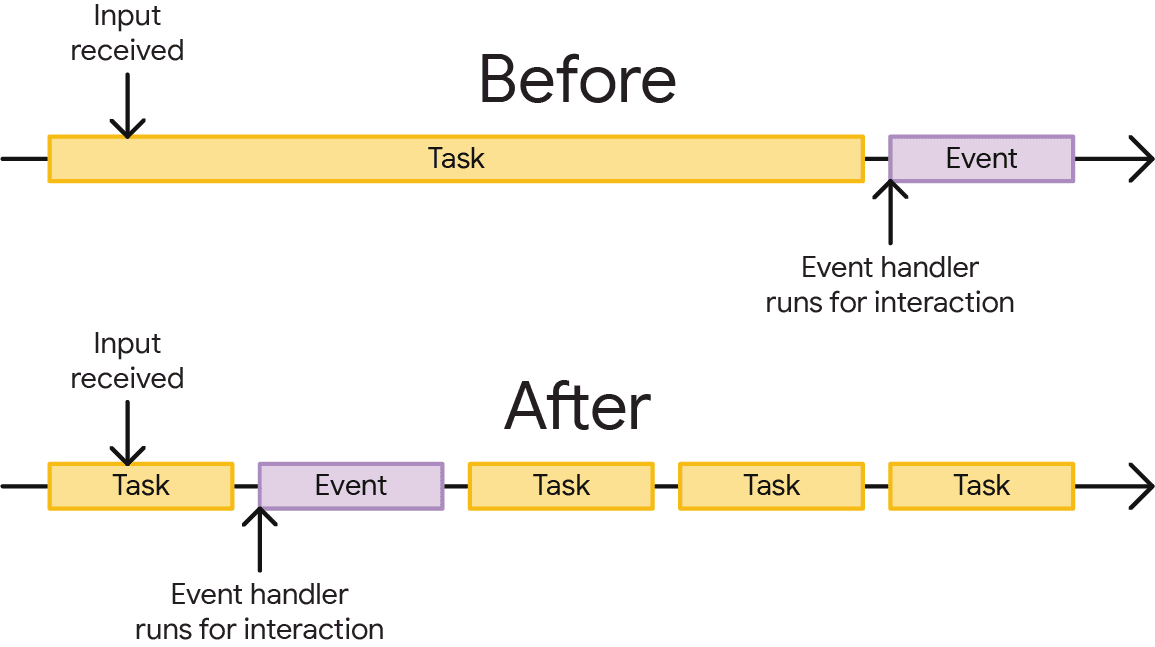
INP fails when JavaScript blocks the main thread. A long task over 50 milliseconds freezes the page during a tap. Long tasks are the top cause of poor INP.
Split heavy work into smaller chunks. Use scheduler.yield() where the browser supports it, with a setTimeout fallback for older browsers. Yielding gives the browser a gap to handle the user action. Responses then land inside the 200 millisecond target.
Fix 6: Defer Or Remove Third-Party Scripts
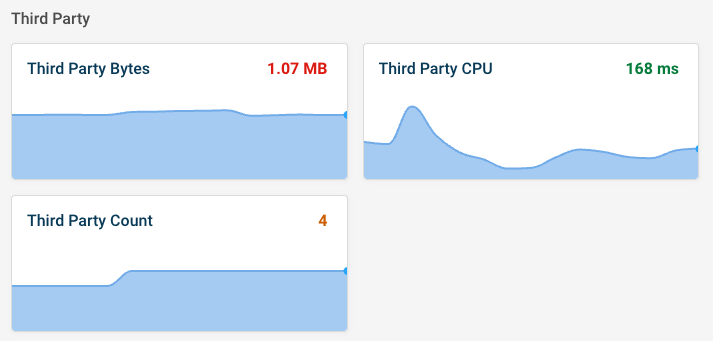
Chat widgets, analytics tags, review apps, and ad pixels all add work to the main thread. Third-party scripts are a frequent INP killer because you do not control their code.
Audit every script on the URL. Remove the ones you no longer use. Load the rest after the page becomes interactive. A site with fewer competing scripts reacts faster to every tap.
Fix 7: Reserve Space For Every Element
CLS happens when content loads with no reserved space. The page reflows and pushes things down. Explicit dimensions stop most of this.
Set width and height on every image, video, iframe, and ad slot. Reserve a minimum height for late-loading content such as chat widgets. Keep banners and consent bars out of the content flow. The layout then holds steady as assets arrive.
Fix 8: Reduce DOM Size & Monitor Continuously
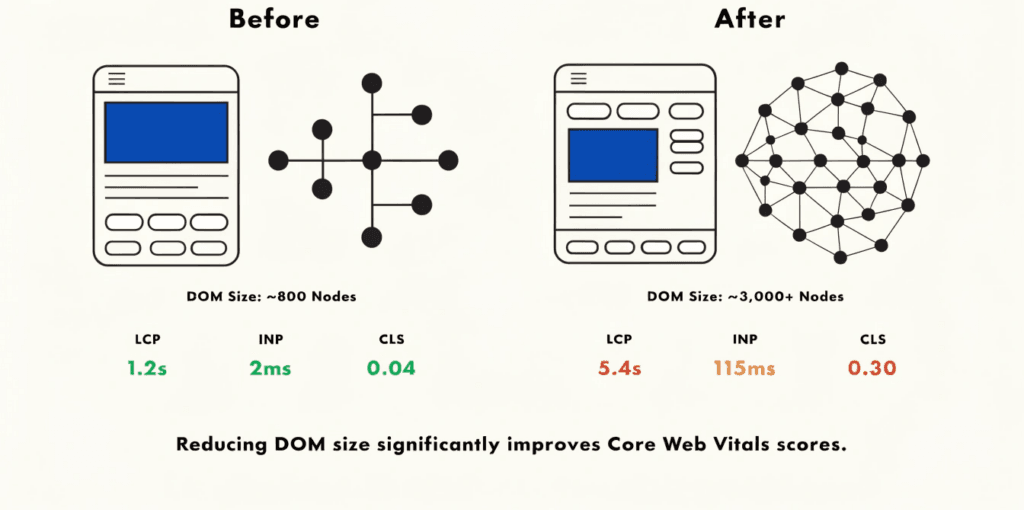
A heavy page slows both render and response. A large DOM with deep nesting raises INP and LCP together. Aim for a leaner structure with fewer wrapper elements.
Trim unused CSS and shrink your JavaScript bundle. Then treat performance as ongoing work, not a one-time task. New features and scripts erode scores over months. Continuous monitoring catches that drift before it costs you rankings.
How To Test Core Web Vitals
Use field tools for the score that ranks. Use lab tools to find the cause. The table below sorts the main options by data type.
| Tool | Data type | Best use | Cost |
| PageSpeed Insights | Field & lab | Quick page check with CrUX data | Free |
| Search Console (CWV report) | Field | Site-wide pass and fail status | Free |
| Chrome UX Report (CrUX) | Field | Raw 75th percentile real-user data | Free |
| Lighthouse | Lab | Audit a single page in the browser | Free |
| Chrome DevTools Performance | Lab | Find long tasks and layout shifts | Free |
| web-vitals JavaScript library | Field (your own) | Real-user monitoring on your site | Free |
| WebPageTest | Lab | Waterfall and render analysis | Free tier |
| DebugBear | Field & lab | Continuous monitoring and alerts | Paid |
Field Data vs Lab Data
This split decides which number you trust. Field data reflects real visits and drives your ranking. Lab data reflects one simulated visit and helps you debug.
Run PageSpeed Insights first. The top of the report shows CrUX field data when enough visits exist. The lab section below it shows the diagnostics. Use the field score to judge pass or fail. Use the lab diagnostics to find what to fix.
A Simple Testing Workflow
Follow this loop for any URL.
- Run the page through PageSpeed Insights and read the field score.
- Open the diagnostics to see which metric scores worst.
- Apply the matching fixes from the eight above.
- Re-test in Lighthouse and DevTools to confirm the lab gain.
- Wait up to 28 days and recheck the field score in Search Console.
Performance Tips To Keep Scores Green
Passing once is the easy part. Staying green takes a system. These habits protect your scores after launch.
Set alerts before you cross the line. A useful trigger sits at 80% of each threshold. Watch for INP above 160ms, LCP above 2.0 seconds, and CLS above 0.08. Early alerts catch a regression before CrUX records it.
Test on mobile first. Mobile scores trail desktop on most sites. Google indexes mobile, so the mobile number matters more. A page that passes on desktop can still fail on a phone.
Re-test after every deploy. A new script or feature can undo past work in one release. Fix the worst metric first each time. That order gives you the largest gain for the least effort.
Common Core Web Vitals Myths
Misinformation spreads fast in this space. Several ranking articles repeat claims that Google has not confirmed. Here is what the official record actually says.
Myth: Google dropped the LCP target to 2.0 seconds. No official Google source confirms this. The published good threshold for LCP stays at 2.5 seconds. The 2.0 second figure is a useful alert point, not a pass mark.
Myth: A “Visual Stability Index” or “Core Web Vitals 2.0” is now live. Google has not announced either as an official metric. The three Core Web Vitals remain LCP, INP, and CLS. Treat new metric claims as rumor until Google publishes them.
Myth: Good scores alone will rank you first. Core Web Vitals are one signal. Relevant content and authority carry more weight. Fast pages win ties, not whole games.
Myth: My Lighthouse score is what Google ranks. Lighthouse is a lab tool. Google ranks on CrUX field data from real users. The two numbers often differ.
Frequently Asked Questions
What is a good Core Web Vitals score?
A good score means LCP under 2.5 seconds, INP under 200 milliseconds, and CLS under 0.1. The URL must hit all three at the 75th percentile of real visits.
Which Core Web Vital is hardest to fix?
INP is the hardest for most sites. It needs changes to JavaScript and main-thread work. Many sites still fail the 200 millisecond target.
How long do Core Web Vitals fixes take to show?
Field scores update on a 28-day rolling window. A fix can take up to four weeks to appear in CrUX and Search Console. Your own real-user monitoring shows results sooner.
Are Core Web Vitals a Google ranking factor?
Yes. Google confirmed them as a ranking signal in 2021. They sit inside the page experience system and work as a tiebreaker.
What replaced First Input Delay?
INP replaced First Input Delay on March 12, 2024. FID measured only the first interaction. INP measures responsiveness across the whole visit.
Do Core Web Vitals differ on mobile and desktop?
Yes. Google scores mobile and desktop separately. Mobile scores usually run lower, so test the mobile version first.
Conclusion
Core Web Vitals reward pages that load fast, react fast, and hold steady. Start with your worst metric. Apply the matching fixes, then build a monitoring habit so scores stay green. Trust the field data, ignore the rumors, and let speed support the content that does the real ranking work.