Most people still treat Instagram like a scrapbook. They post, they wait, and they hope the right people stumble across it. In 2026, that’s the slow lane. Instagram is now one of the most searched apps on the internet, with close to three billion people opening it every month – and a growing share of them use the search bar the way you’d use Google. They type “easy meal prep,” “skincare for oily skin,” or “wedding photographer Florida” and expect real answers.
That shift is exactly why Instagram search queries optimization matters. It’s the skill of setting up your profile and posts so the algorithm can match you to those searches. Get it right and strangers find you on purpose, not by luck.
This guide by web design Los Angeles team is built for beginners. No fluff, no theory you can’t use. You’ll get a plain definition, a quick look at how Instagram search actually decides what to show, and a clear 10-step framework – each step with why it matters, how to do it, the mistake to avoid, and a real example. By the end, you’ll know exactly where to place keywords and how to tell if it’s working.
What Is Instagram Search Queries Optimization?

Instagram search queries optimization is the practice of structuring your username, bio, captions, alt text, and hashtags so your account and posts appear when someone searches a relevant term inside Instagram. In short, it helps Instagram understand who you are and what you cover – so it can put you in front of people already looking for it.
Think of it as on-page SEO for your profile. The words you choose, and where you place them, are the signals Instagram reads. Vague labels like “new post” or “vibes” tell the algorithm nothing. Specific words like “beginner home workout” tell it everything.
Why Instagram Search Matters in 2026 | Real insights

Three things changed the game.
People search now instead of scrolling. Younger users in particular often open Instagram’s search bar before they reach for Google. They want ideas, products, and people they can trust – and they expect search results that actually fit.
The audience is enormous. With Instagram around three billion monthly users, even a narrow niche has a real search audience. Showing up for “sourdough starter tips” is no longer a small prize.
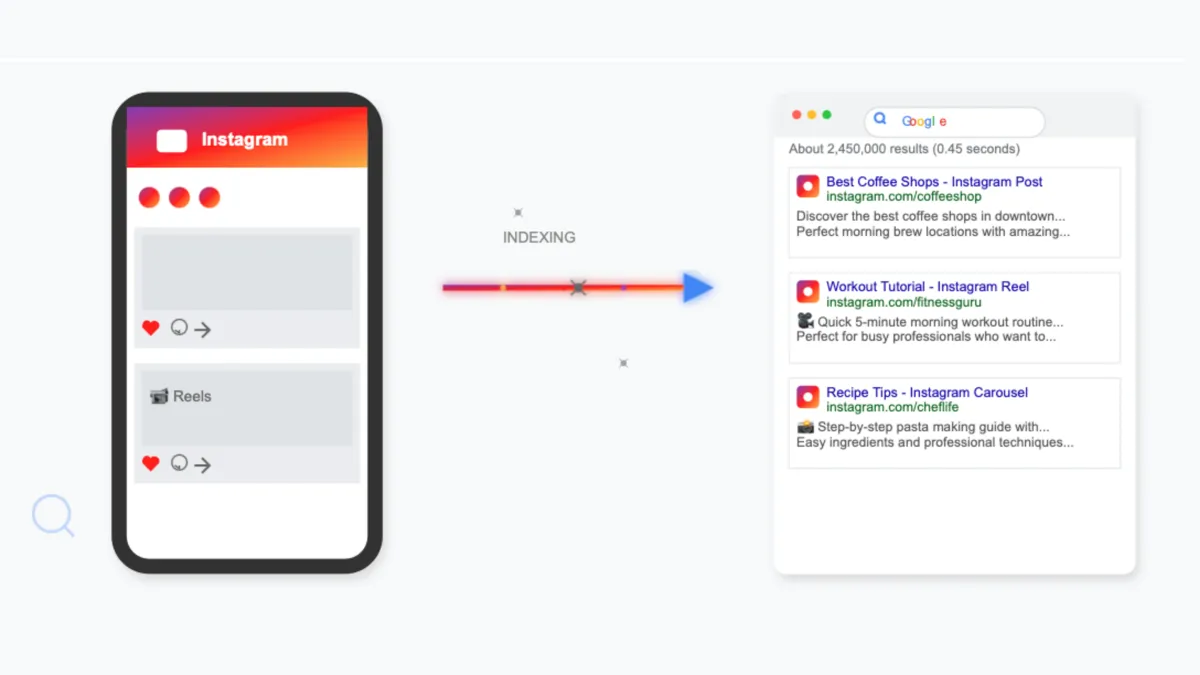
Your reach now extends off the app. Since July 2025, public content from professional accounts can appear directly in Google and Bing results. That means a well-optimized post can pull in people who never even open Instagram. Your Instagram SEO is now part of your wider search footprint.
The takeaway: discoverability is no longer a bonus. It’s the difference between content that compounds and content that disappears.
How Instagram Search Works
You don’t need to reverse-engineer the whole algorithm. Instagram’s own leadership has explained the core of it. When someone searches, three things drive the result.
- The text they typed. This is the strongest signal. Instagram matches the search words against your username, display name, bio, captions, hashtags, and location. If your keywords live in those fields, you’re eligible to appear. If they don’t, you’re invisible for that search.
- The searcher’s activity. Instagram personalizes results based on who the person follows, what they’ve viewed, and how they’ve interacted before. You can’t control this – but consistent, on-topic posting helps Instagram associate you with your niche for the right users.
- Post popularity and engagement. Posts and accounts with strong engagement tend to rank higher. Instagram weighs quality signals – especially saves and DM shares (sends) – and, for Reels, watch time and completion rate. These tell the algorithm your content actually answered the search.
Layered on top are search intent (does your content match what the searcher wants?), relevance (is your profile clearly about this topic?), and topical authority (do you post about this consistently?). Here’s the simple version:
Right keywords + matching intent + real engagement = search visibility.
Instagram search ranking factors at a glance
- Keyword match in username and display name
- Keyword match in bio
- Keyword match in captions
- Alt text and on-screen/spoken keywords
- Relevant, niche hashtags (a supporting signal)
- Engagement quality – saves, DM shares, watch time
- Topical consistency / niche focus
- The searcher’s own activity and personalization
- Recency and posting consistency
The 10-Step Instagram Search Queries Optimization Framework
Work through these in order. The early steps set the foundation; the later ones build momentum.
Step 1: Optimize Your Username
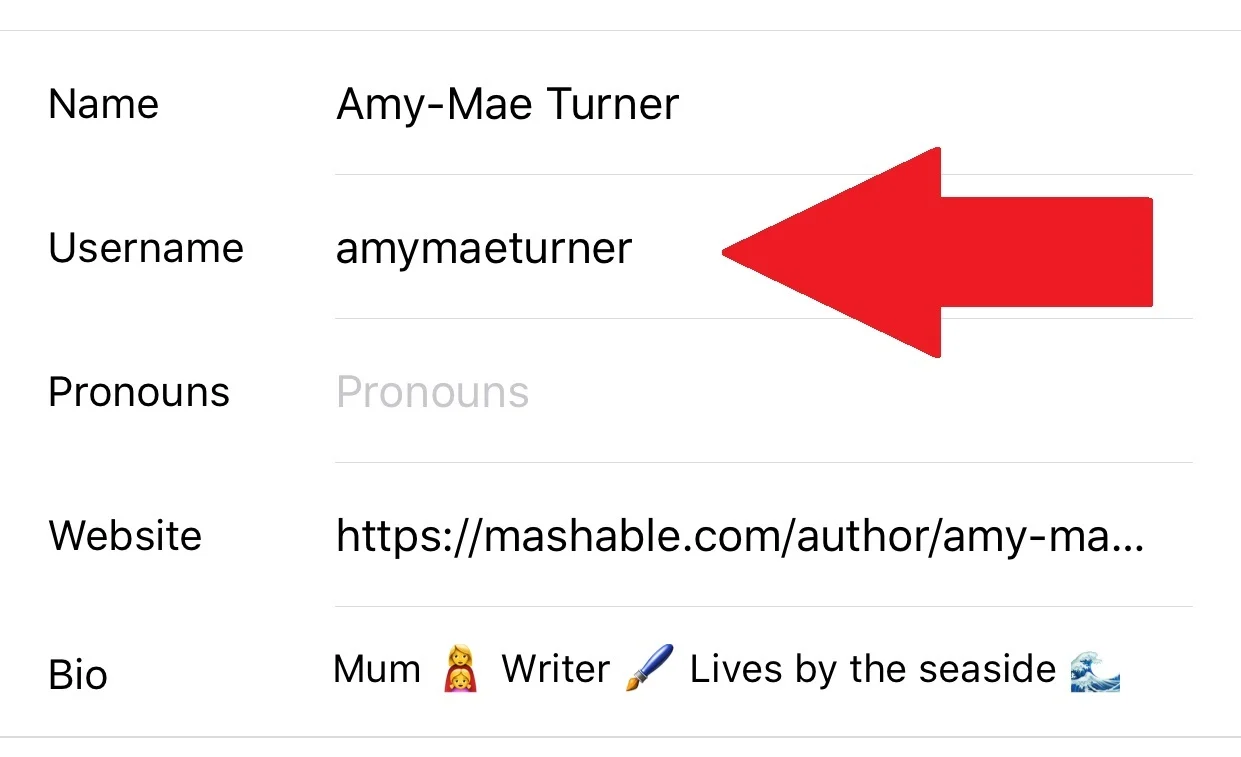
Why it matters. Your username (@handle) is like a domain name. It’s one of the first text fields Instagram reads, and a keyword here is a long-term advantage that follows you on every post.
How to do it. Keep your handle simple and tied to your niche. If your brand name allows, fold in a category word. A photographer might use @ayeshaphotography instead of @ayesha_92. Avoid numbers, underscores, and random spellings that nobody would type.
Common mistake. Cramming three keywords into a handle so it’s unreadable. One clear niche word is enough.
Example. A Florida cake business changing @thesweetlife to @floridacakestudio instantly becomes findable for “Florida cakes.”
Step 2: Add Searchable Profile Keywords (Name Field)

Why it matters. The Name field – the bold text under your photo – is fully searchable and separate from your handle. Many beginners leave it as their personal name and waste a prime keyword slot.
How to do it. Set the Name field to your name plus your niche. Format it like “Ayesha | Wedding Photographer.” That extra phrase tells Instagram (and visitors) what you do.
Common mistake. Repeating your handle in the Name field. Use the space for a keyword you’re not already using.
Example. “Jarid – Personal Trainer” will surface for “personal trainer” searches that “Jardi Martin” alone never would.
Step 3: Improve Your Bio SEO
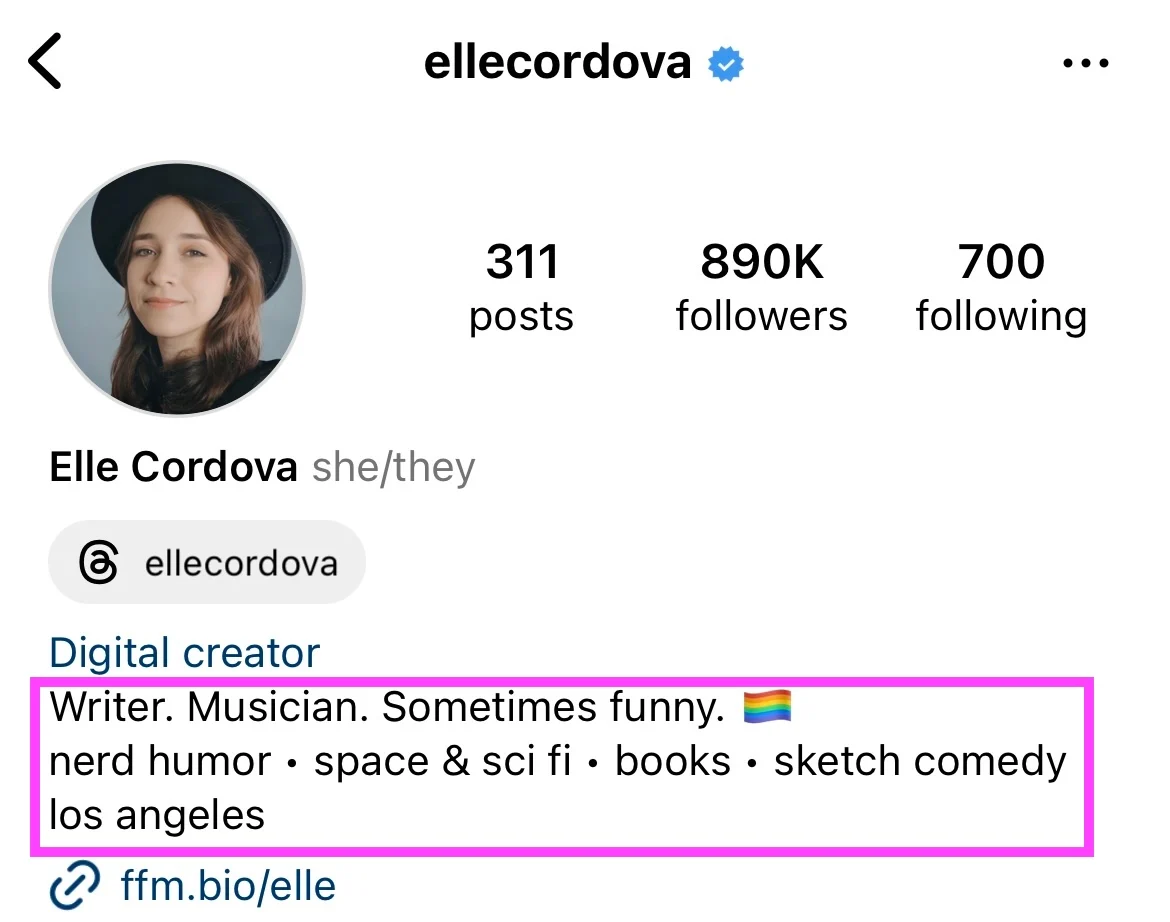
Why it matters. Instagram reads your bio when deciding what your account is about. A clear, keyword-aware bio improves relevance for your topic and helps the right people decide to follow.
How to do it. Treat the first line like a headline: what you do + who it’s for + your main keyword. Add one or two secondary phrases and a location if you serve a local audience. Finish with a simple call to action.
Common mistake. Filling the bio with emojis and mood words (“dreamer ✨ coffee ☕”) that carry zero search value.
Example. “Healthy meal prep for busy parents 🍱 | Florida| Free weekly menu 👇” packs in niche, location, and intent in one line.
Step 4: Write Keyword-Rich Captions

Why it matters. Captions are now a primary discovery mechanism. Instagram reads caption text the way a search engine reads a web page. Hootsuite’s 2026 testing reportedly found keyword-led captions pulled meaningfully more reach than hashtag-heavy ones.
How to do it. Write for a human first, then make sure the exact phrase your audience would search appears once or twice – ideally in the first line. Use the words they type, not industry jargon.
Common mistake. Replacing a caption with a wall of hashtags. That tells Instagram almost nothing.
Example. A skincare post captioned “My simple oily skin routine for humid weather” beats “✨ glow szn ✨” every time, because “oily skin routine” is a real search.
Step 5: Optimize Your Alt Text
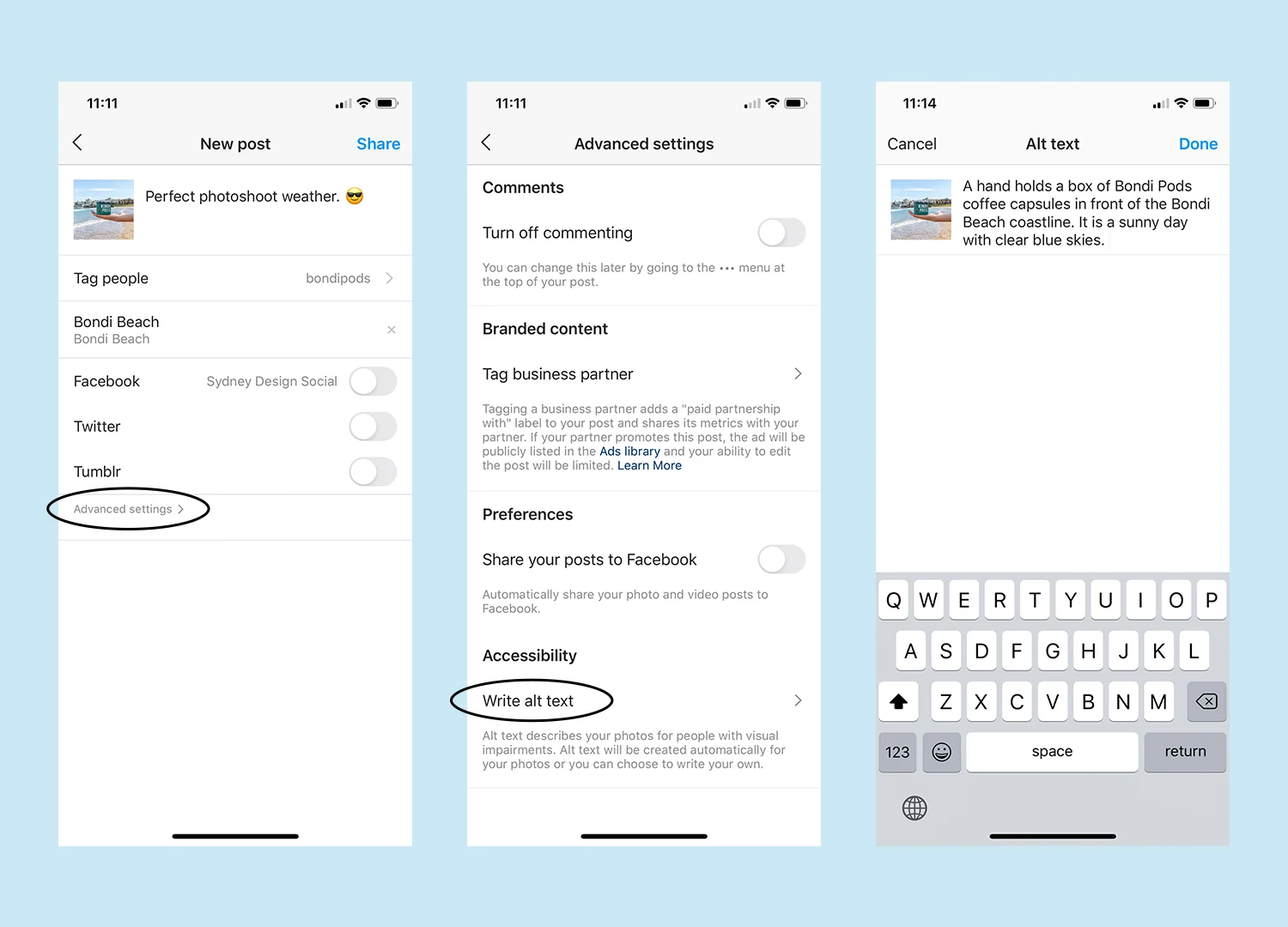
Why it matters. Alt text was built for accessibility, but Instagram’s algorithm reads it too. It gives the platform extra context to match your image to a search – and most people skip it entirely, so it’s easy ground to win.
How to do it. When uploading, open Advanced Settings → Write Alt Text. Describe the image clearly in plain language and work in one natural keyword. Keep it under about 125 characters.
Common mistake. Stuffing keywords with no description (“seo seo skincare seo”). Describe what’s actually in the image.
Example. Alt text like “Flat-lay of an oily-skin skincare routine with cleanser and SPF” is accurate and keyword-aware.
Step 6: Use a Smart Hashtag Search Strategy
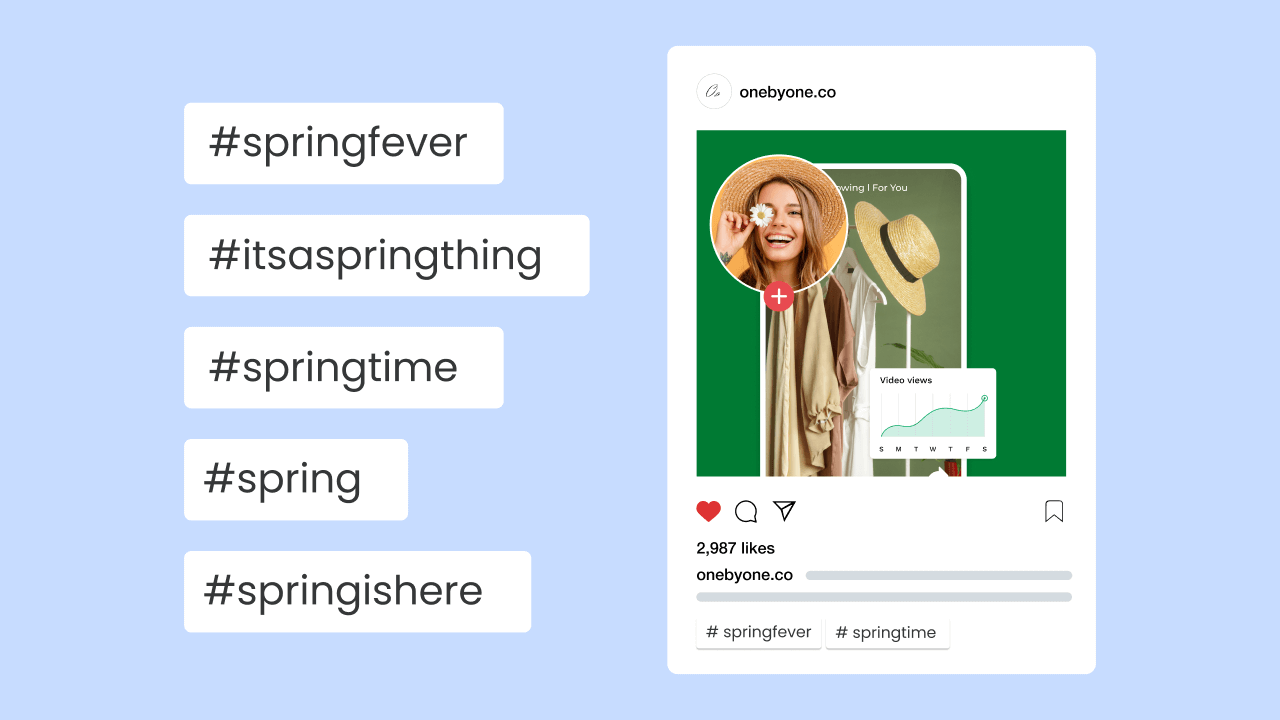
Why it matters. Hashtags still help categorize content, but their role has shrunk. Instagram now caps you at 5, and its leadership has said hashtags don’t drive reach the way they used to. They’re topic labels now, not a growth engine.
How to do it. Use 3–5 highly relevant, niche hashtags per post. Mix one or two broader tags with more specific ones. Put them in the caption, not the first comment.
Common mistake. Reusing the same 30 generic tags (#love #instagood) on every post. They’re too competitive to help and can look spammy.
Example. A New York café using #newyorkcafe #coffeenewyork #specialtycoffeeus will out-target #coffee #love #foodie by a mile.
Step 7: Build Engagement Signals

Why it matters. Keywords get you into search results; engagement decides how high you rank similar to how targeted PPC campaigns improve visibility. Saves and DM shares are the strongest signals – they tell Instagram your content was genuinely useful. For Reels, watch time matters most.
How to do it. Make content people want to save and send: checklists, “save this for later” guides, and Reels with a strong hook in the first three seconds. Ask directly for saves and shares when it fits.
Common mistake. Chasing likes and follower counts while ignoring saves and sends – the signals that actually move search rankings.
Example. A “5 quick dinner recipes” carousel that people save to cook later sends a far stronger signal than a pretty photo that only gets likes.
Step 8: Categorize Your Content (Topical Authority)
Why it matters. Instagram trusts accounts that stay on one topic just like strong brand identity creates consistency across channels. Consistent niche posting builds topical authority, which lifts you for related searches across your whole profile – not just one post.
How to do it. Pick 3–5 content pillars tied to your niche and keywords. Map your Reels, carousels, and Highlights to those pillars. Use Story Highlights as evergreen “mini resources” with keyword titles.
Common mistake. Posting fitness one week and travel the next. Mixed signals confuse the algorithm about what you’re for.
Example. A skincare account that always posts routines, ingredient tips, and product reviews becomes the account Instagram surfaces for skincare searches.
Step 9: Align Content With Search Intent

Why it matters. Matching a keyword isn’t enough – you have to match what the searcher actually wants. The format matters as much as the words. Get this wrong and people bounce, which weakens your ranking.
How to do it. Before you post, ask what the searcher needs in the first three seconds. Match the format to the intent:
| Search intent | What they want | Best format |
| “quick dinner recipes” | Fast, do-it-now answer | Reel |
| “Mediterranean diet guide” | Something to study and save | Carousel |
| “best photographer in US” | A person to hire | Optimized profile + portfolio |
| “how to add alt text” | A short tutorial | Reel or carousel |
Common mistake. Forcing every topic into your favorite format. A “guide” searcher won’t want a 7-second clip.
Example. Someone searching “quick dinner recipes” is standing in their kitchen. Give them a fast Reel, not a long carousel.
Step 10: Measure and Improve

Why it matters. Optimization is a loop, not a one-time setup. The only way to know what’s working is to track it – and double down on what pulls in new viewers.
How to do it. In Instagram Insights, watch non-follower reach, “impressions from Explore” and search, saves per post, and profile visits. Capture a baseline for about a month, then change one element at a time (caption, hashtags, or post time) and compare. Layer in tools like Later, Metricool, or a Semrush social add-on for trend tracking.
Common mistake. Judging a change after two days. Instagram takes one to three weeks to reindex content, so give it time.
Example. Keep a simple sheet: date, content pillar, target keyword, saves, and non-follower reach. The topics with the most saves are your search sweet spots – make more of those.
The 10 steps in one view
| # | Step | One-line action |
| 1 | Username | Put a niche word in your handle |
| 2 | Name field | Add “Name |
| 3 | Bio SEO | Lead with what you do + keyword |
| 4 | Captions | Use phrases people actually search |
| 5 | Alt text | Describe + one natural keyword |
| 6 | Hashtags | 3–5 niche tags, in the caption |
| 7 | Engagement | Earn saves and DM shares |
| 8 | Categorize | Stick to 3–5 content pillars |
| 9 | Search intent | Match format to what they want |
| 10 | Measure | Track non-follower reach + saves |
Advanced Instagram Search SEO Tips
Once the basics are running, these push you further:
- Keyword the first 3 seconds of Reels. Add a keyword to your on-screen title card and say it out loud. Instagram reads on-screen text and audio now, not just captions.
- Name your audio and original sounds. A descriptive audio title is another keyword surface most people leave blank.
- Use location tags on local posts. They help you appear in searches tied to a place, which is gold for local businesses.
- Keep keywords consistent across platforms. Use the same core phrases on Instagram, your website, and TikTok so your brand reinforces one clear topic – which also helps the off-app Google indexing work in your favor.
- Mine the search bar for ideas. The autocomplete suggestions are free research: they show what people actually type, not what you assume they type.
- Stay public. Only public professional accounts get indexed for search, on and off the app. A private account opts out of discovery.
Mistakes Beginners Make
- Keyword stuffing. Repeating a keyword 15 times reads badly and can trip spam filters. Write naturally; once or twice is plenty.
- Mixed niche signals. Jumping between unrelated topics confuses the algorithm about what you cover.
- Treating hashtags as the strategy. They’re a minor label now. Captions and profile keywords do the heavy lifting.
- Ignoring Reels. Short video is the highest-visibility format in search. Skipping it leaves reach on the table.
- Skipping alt text. It’s a free context signal almost nobody uses.
- Quitting too early. Reindexing takes weeks. Give each change time before you judge it.
- Going private. Private profiles don’t get indexed, full stop.
The Future of Instagram Search in 2026
The direction is clear: Instagram keeps moving from a feed you scroll to a search engine you query. A few trends to plan for.
Content-first understanding. Instagram increasingly reads visuals, on-screen text, and voiceover audio – not just captions and hashtags – to decide what a post is about. That rewards genuinely on-topic content and punishes keyword-stuffed posts that don’t match.
Search that lives off the app. With Google and Bing indexing public posts, your Instagram content competes in the open web too. Writing captions like search-friendly page copy pays off twice and supports stronger website performance across channels..
AI answer engines. Tools like ChatGPT and Perplexity increasingly weigh social signals. A consistent, engaged, on-topic Instagram presence makes you more likely to be surfaced or cited when these tools answer related questions.
The strategy doesn’t change so much as it intensifies: be clear about your niche, use real language, and earn genuine engagement. Do that consistently and you compound as the system gets smarter.
FAQs
- What is Instagram search queries optimization? It’s the practice of structuring your username, bio, captions, alt text, and hashtags so your account and posts appear when people search relevant terms inside Instagram. The goal is discoverability – being found by people who don’t already follow you.
- How does Instagram search work in 2026? Instagram matches the searcher’s text against your username, name, bio, captions, hashtags, and location, then ranks results using the searcher’s own activity and your post’s engagement. Saves, DM shares, and watch time are key quality signals.
- Do hashtags still matter for Instagram search? Yes, but far less than before. Instagram caps hashtags at five and treats them as topic labels rather than a growth engine. Keyword-rich captions now matter more for discovery.
- Where should I put keywords on Instagram? In your username (if possible), your Name field, your bio’s first line, your captions, your alt text, and on-screen Reel text. These are the fields Instagram reads to understand your topic.
- Can my Instagram posts show up on Google? Yes. Since July 2025, public content from professional accounts is eligible to appear in Google and Bing results by default, so strong Instagram SEO can reach people off the app too.
- How long does Instagram SEO take to work? Expect early signals in days to a few weeks for caption and hashtag changes, and steadier gains over one to three months as topical authority builds. Instagram needs time to reindex content.
- What are the most important Instagram search ranking factors? Keyword relevance in your profile and captions, engagement quality (saves and DM shares), watch time on Reels, topical consistency, and the searcher’s personalization. Mosseri has confirmed text, activity, and popularity as the core three.
- Do I need a business account for Instagram SEO? A professional (business or creator) account helps. It unlocks Insights for measurement and is what makes your public content eligible for off-app indexing.
- How do I add alt text on Instagram? While uploading a photo, open Advanced Settings, scroll to “Write Alt Text,” and describe the image in plain language with one natural keyword, keeping it under about 125 characters.
Conclusion
Instagram search queries optimization isn’t complicated – it’s consistent, intentional attention to the words you use and where you put them. The creators who grow fastest in 2026 aren’t always the most talented. They’re the ones whose content is easiest to find.
Start small. Fix your Name field and bio today, then apply keyword-led captions to your next three posts. Add alt text, tighten your hashtags to five, and watch your saves and non-follower reach. Each small change compounds. Do it steadily and your profile turns from a scrapbook into a search engine that works for you around the clock.